PS1 BIOS Files
Free Download
Download the original PlayStation 1 BIOS for every region — USA, Japan, Europe, and Asia. Compatible with ePSXe, RetroArch, DuckStation, PCSX-R and all PS1 emulators.

PlayStation 1 — Sony, 1994
The original PlayStation console
What Is a PS1 BIOS File?
The PlayStation 1 BIOS (Basic Input/Output System) is the core firmware embedded in every original PS1 console. When you power on the PlayStation, the BIOS runs first — it initializes the hardware, checks connected components, and then boots the game disc.
To play PS1 games on an emulator (like ePSXe, RetroArch, or DuckStation), you need the BIOS file. Without it, the emulator cannot replicate the original PlayStation hardware and games simply will not load.
PS1 BIOS files are 512 KB .BIN files. Each region — USA (NTSC-U), Japan (NTSC-J), and Europe (PAL) — has its own BIOS version. For most games and emulators, SCPH1001.BIN (USA v2.2) is the go-to choice.

Download PS1 BIOS Files
Choose your region or grab the complete pack. All files are 512 KB .BIN format.
Files serve directly — no redirect, no account required, no ads.
PS1 Emulators That Need This BIOS
Every PS1 emulator requires a BIOS file to function. Our files work with all of them.

The modern PS1 emulator of choice. Best accuracy, hardware rendering, and active development.
Classic PS1 emulator with a huge plugin ecosystem. Still one of the most widely used.

Multi-system frontend with Beetle PSX HW and SW cores. Great for unified game library.

Lightweight open-source PS1 emulator. A solid choice for older hardware.

Fast PS1 emulator for Android. Good compatibility on mid-range mobile devices.
BizHawk, Mednafen, XEBRA, pSX, psemu, and any other PS1 emulator. All require the same .BIN format.
Download BIOS →How to Install PS1 BIOS
After downloading, place the .BIN file in your emulator's BIOS folder. Steps vary by emulator.
- 1. Open DuckStation → Settings
- 2. Go to BIOS → BIOS Directory
- 3. Set folder path, copy .BIN there
- 4. Restart DuckStation — done
- 1. Open ePSXe
- 2. Go to Config → Bios
- 3. Browse and select SCPH1001.BIN
- 4. Click OK — start your game
- 1. Find your RetroArch system folder
- 2. Copy the .BIN file into it
- 3. Load Beetle PSX HW core
- 4. Launch your PS1 game
- 1. Open PCSX-R → Config → Bios
- 2. Browse to your .BIN file
- 3. Select it and click Open
- 4. Apply and launch your game
For RetroArch Android: copy the .BIN to
/storage/emulated/0/RetroArch/system/.
For ePSXe Android: go to Settings → BIOS and tap the .BIN file.
For FPSE: go to Settings → BIOS Path and select the file.
Popular PS1 Games to Play
Once you have the BIOS installed, these classics run perfectly on any PS1 emulator.

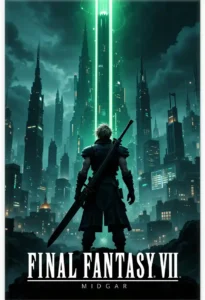



Whether you're playing Crash Bandicoot, Final Fantasy VII, Tekken 3, Metal Gear Solid, or Resident Evil 2 — all PS1 games work with any regional BIOS. Use the USA BIOS (SCPH1001.BIN) as the default, and switch to the regional version only if a specific game requires it.
PS1 BIOS Version Reference
All available PS1 BIOS versions and their regions at a glance.
| File | Region | Notes |
|---|---|---|
| SCPH1001.BIN | 🇺🇸 USA | Most compatible — recommended default |
| SCPH5500.BIN | 🇯🇵 Japan | Required for Japanese games |
| SCPH-7502.BIN | 🇪🇺 Europe | Latest PAL revision |
| SCPH7003.BIN | 🌏 Asia | Asia/Japan late model |
Setup Guides & Tutorials
Step-by-step guides for every emulator and platform
How to Play PS1 Games on Android: Complete BIOS Setup Guide
Step-by-step guide to setting up PS1 emulation on Android. Install the BIOS, configure DuckStation or RetroArch, and start playing PlayStation games on your phone.
DuckStation Setup Guide: Best PS1 Emulator for PC & Android
Complete DuckStation setup guide for PC and Android. Configure BIOS, enhance graphics, set up controllers, and start playing PS1 games in minutes.
RetroArch PS1 Setup Guide: Beetle PSX HW Configuration
How to set up RetroArch for PS1 emulation using the Beetle PSX HW core. Install BIOS files, configure shaders, and start playing PlayStation games.
Frequently Asked Questions
Everything you need to know about PS1 BIOS files and emulation.